Keep search inside the active course
The extension derives the course ID from the URL and checks destination course IDs when indexing links. Existing Canvas session credentials stay in the browser; users are not asked for an API token.
// Open source · browser extension
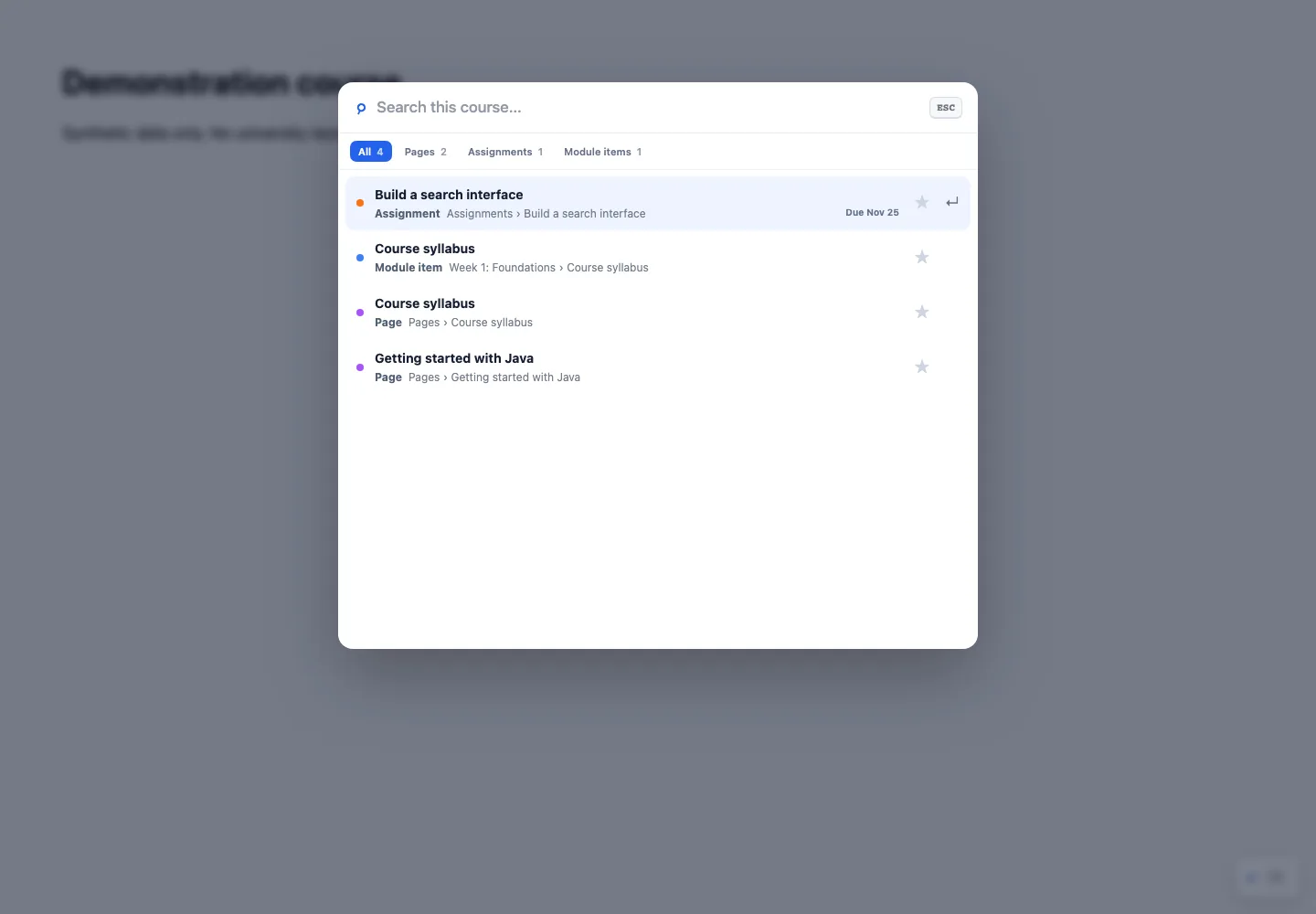
A keyboard-first search surface for files, modules, pages, assignments, quizzes, and discussions inside a Canvas course.
// 01
Each Canvas course can organize its materials differently. Finding a syllabus, assignment, or module should not require guessing where an instructor placed it.
// 02
My public repository contains the course-scoped extension and its documentation. This case study examines its implementation: a keyboard command palette, indexed course content, filtering, ranking, caching, and local preferences. It does not claim adoption or classroom performance measurements.
// 03
Based on the public content.js and README. The illustration uses no real student or course data.
// 04
The extension derives the course ID from the URL and checks destination course IDs when indexing links. Existing Canvas session credentials stay in the browser; users are not asked for an API token.
Course endpoints load with Promise.allSettled. Available content can still be indexed when a particular resource is unavailable, rather than requiring every endpoint to succeed.
Search weights titles, paths, and page text. Type, due-date, and module operators narrow results; a 15-minute cache avoids rebuilding the course index on every open. Favorites and recent results use local extension storage.
// 05
The public extension supports keyboard navigation, content filters, favorites, and course-local caching. Uploaded PDF and Office document contents are not indexed; those documents are searchable by filename, type, and path.
The source includes unpacked installation instructions and privacy details. A demonstration with synthetic course records can show the real extension interface without exposing university material.
Sources: public README, PRIVACY.md, manifest.json, and content.js. This is a source-reviewed case study, with no private Canvas session access.